Starter
€15 once
One export every 30 days
- The full generator, personal use
- Print files, parts list, wiring and build guide for one deck a month
- No launch discount or early-bird reward: it is already the lowest price
Lay out keys, knobs, sliders and a screen in your browser. DeckSmith turns it into print-ready parts for your printer, plus the firmware that makes it work.
Click the keys or press 1–8 on your keyboard. Scroll or drag a knob to turn it.
Two minutes, from a layout in the browser to a deck on the desk.
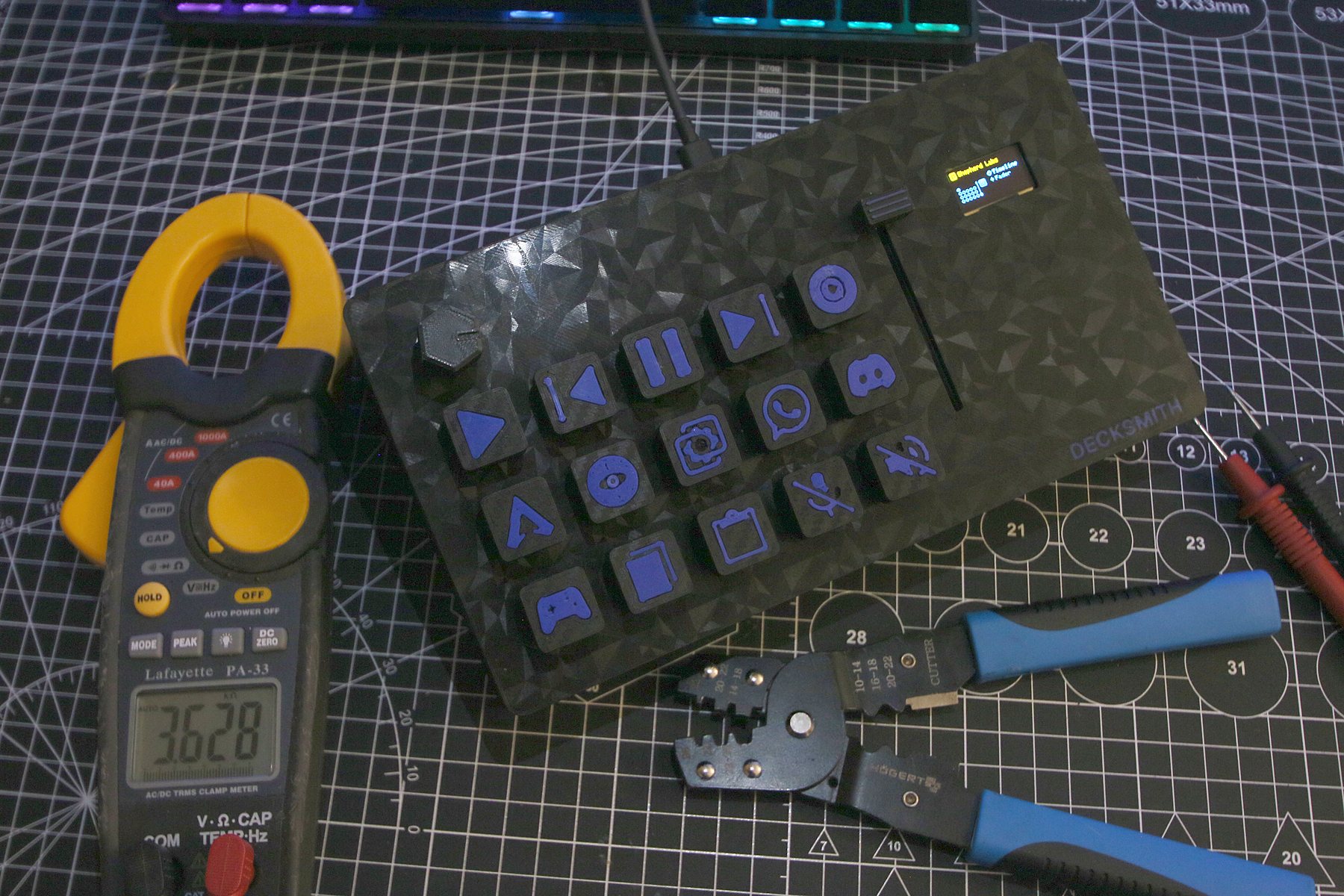
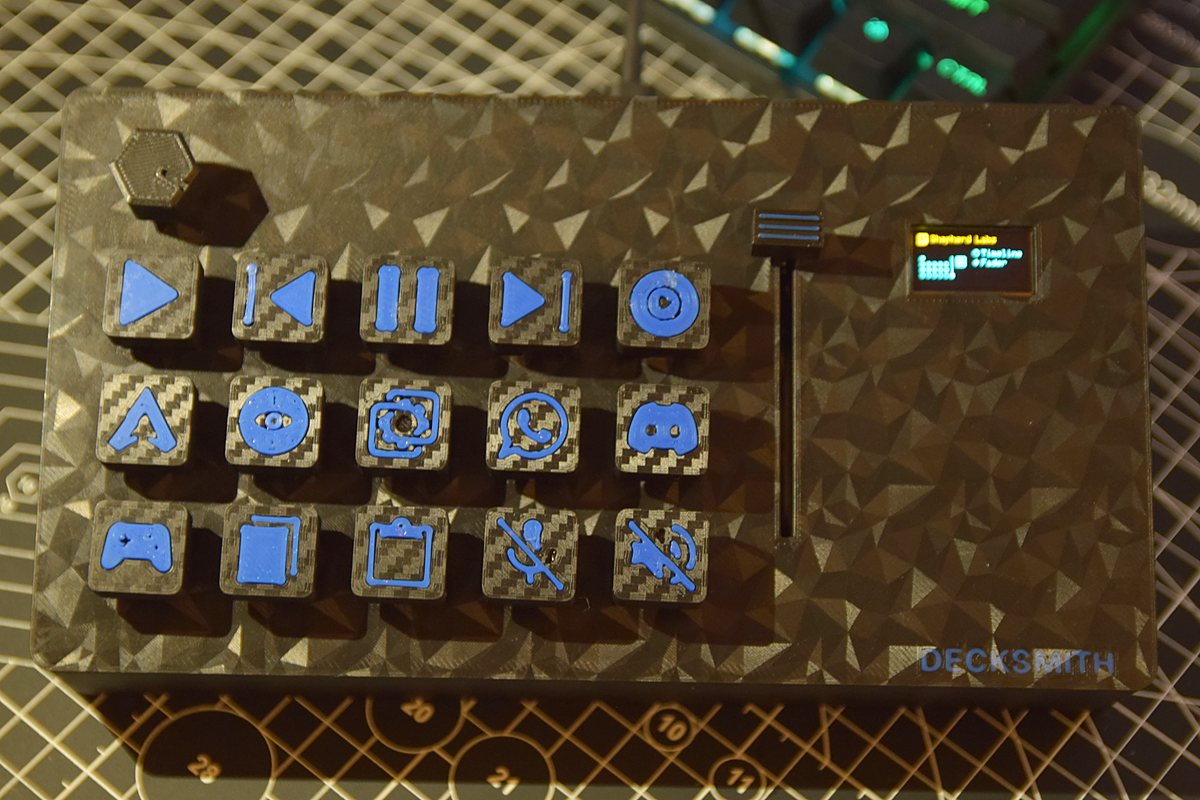
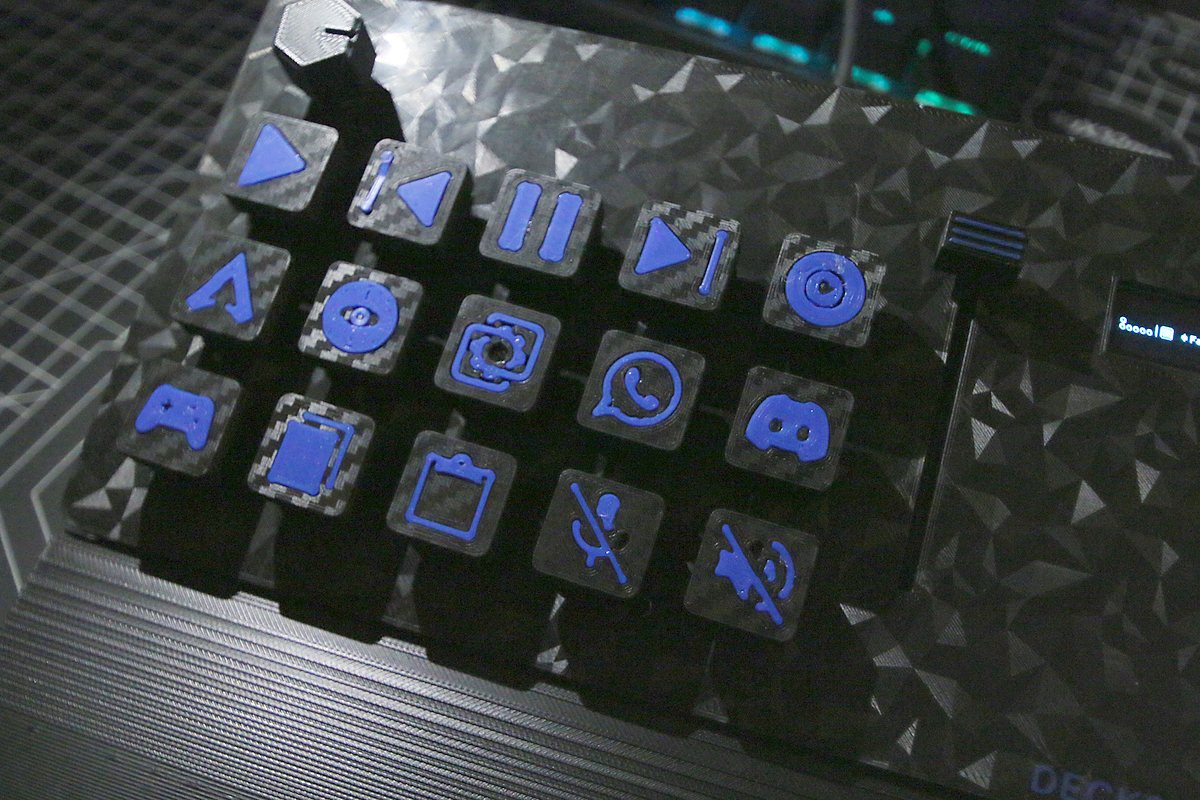
This is the new DeckSmith deck, straight from the generator: a textured black case, 15 keycaps with icons printed in a second colour, a knob, a slider and an OLED screen. Hand-wired to an ESP32-S3, and it works.

Start from a layout for editing, streaming or smart home, then move anything. The 3D preview updates as you go.

Every part prints flat without supports, sized for your printer and nozzle. Icons print in a second color and press into the keys.

Flash the firmware, plug in USB-C and it works. Change what any key does from the control page, without reprinting.
Move any part by dragging it and remove it with a right-click. Ctrl+Z undoes, your design is saved in the browser, and the grid and the 3D model highlight each other.
One export every 30 days, for personal use. Each export gives you the print files, parts list, wiring and build guide for one deck. One payment, no subscription.
Show your build, get help with wiring and firmware, and tell us what to make next. Join the server
Connect Discord on your account page. You join the server with your plan's role, and it updates by itself when your plan changes.
Every version so far, from the first grid in a browser tab to a deck that works on the desk.
Drag and drop, undo, autosave, keyboard shortcuts and a start screen. DeckSmith goes live on Indiegogo.
Starter opens DeckSmith at €15 for one deck a month. The Shepherd's Laboratory Discord opens, with roles that follow your licence.
The DeckSmith Mini goes free on MakerWorld: six keys and a volume knob, printed and built from the generator. The firmware becomes a free download with its own page.
Every export gets a PDF guide for its exact layout. Knobs print clean inside, and KY-040 knob boards get their screws, prices and wiring in the parts list.
The prototype runs end to end: keys, knob, screen and slider. The builder gets tabs, key spacing and screw posts for every module.
The first prototype comes off the printer. Magnetic palm rest, swappable tilt stands and keycaps that can hide the switches.
A new name and a home at decksmith3d.com: the free demo, accounts, a control page in the browser, a priced parts list and a wiring diagram for your exact layout.
An OLED screen that shows what each knob does, Stream Deck style keycaps with printed icons, and the builder in English, Romanian, German, French and Spanish.
ESP32-S3 firmware that turns the deck into a USB keyboard, plus text and logos printed into the case.
Place keys, knobs and a slider on a grid and download a case that prints without supports.
DeckSmith launches on Indiegogo on 18 November. People on the waitlist get 15% off Maker, Maker+ and Commercial there.
Not sure which one? Start small and upgrade later: you only pay the difference. Try the free demo before you buy.
Payments are handled by Paddle, our reseller, who also sends the invoice. Your key arrives by email right after payment. By buying you accept the terms; the 14-day right of withdrawal ends when you activate the key.
DeckSmith launches on Indiegogo on 18 November. Join the waitlist and on launch day we send you a private link with 15% off every perk. One email, nothing else, and you can ask us to delete it any time.